Quick add
Aircraft, route, times and roles. The fields you touch on almost every flight.
Everything you need, nothing in your way
Log the flight quickly. Then use the extras that make a logbook more than a list: bring your history across, take it out again, watch the flight back, and keep the facts honest.
Inside the app
Every image below is a capture from the running app. The flights are demo data. Clock times use each flight's stored local offset. Replay imagery: Sentinel-2 cloudless by EOX IT Services GmbH (contains modified Copernicus Sentinel data 2016), CC BY 4.0; terrain from AWS Terrain Tiles.

01 · The core
The common flight should take a moment, not a meeting. Quick add puts the usual details up front. The full edit view is there when you need it.
Aircraft, route, times and roles. The fields you touch on almost every flight.
Stored in UTC with the local offset, so the maths doesn't fall apart when you fly east.
Night, instrument, cross-country, landings and crew roles, all on one flight.
02 · Bring your history
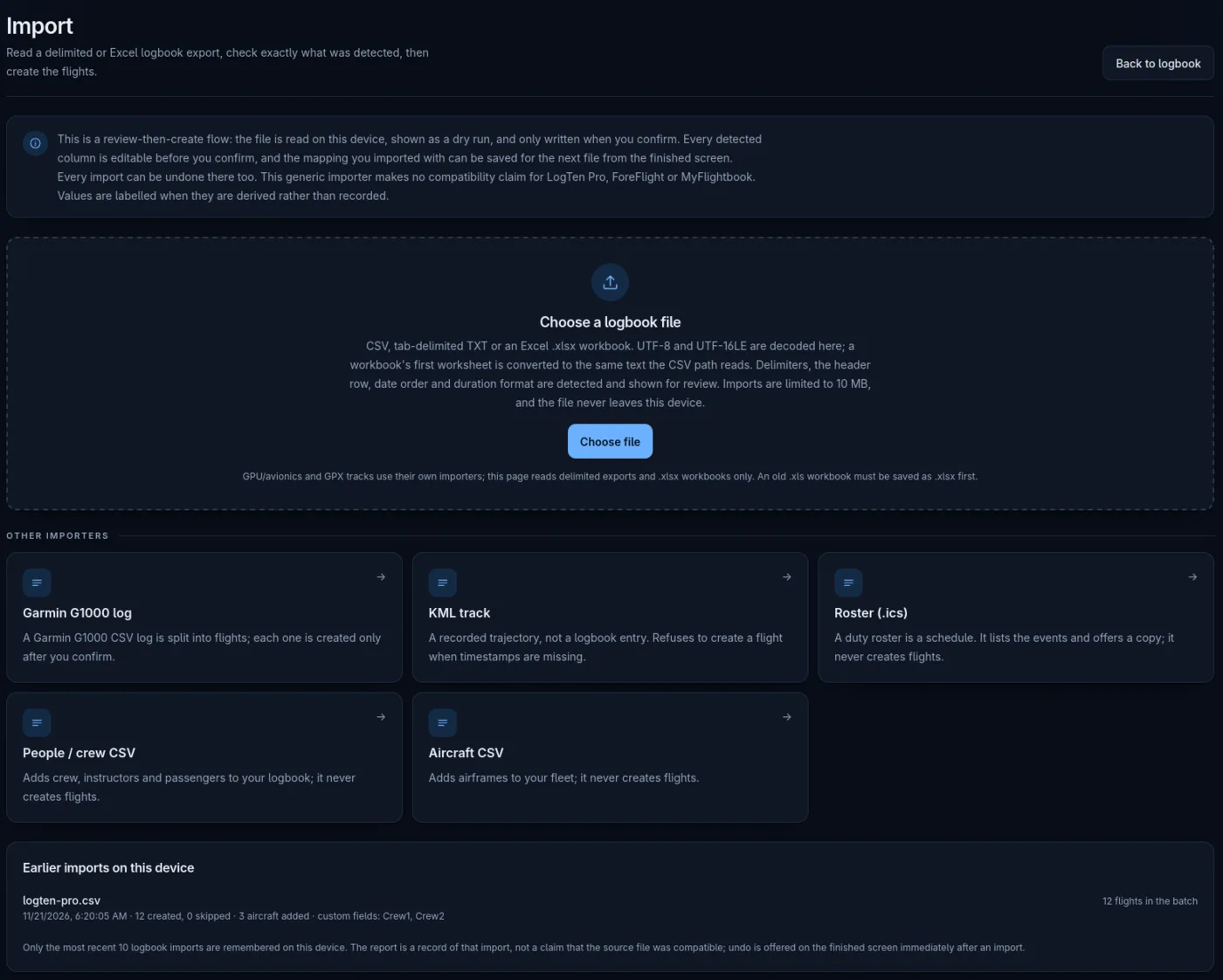
Move the history you already have. Nothing gets committed until you've seen it, and the whole batch can be undone.
CSV, tab-delimited TXT or .xlsx. The file is decoded and detected here, then shown as a dry run before anything is written.
Map columns, save the mapping for next time, review duplicates, and undo the whole batch if it isn't right.
LogTen Pro, ForeFlight and MyFlightbook exports can be read through the delimited path. Compatibility is not claimed or tested.
Import your roster and match flights to the schedule automatically. Matched rows stay provisional until you confirm them.
Garmin G1000 logs split into flights. People and aircraft CSVs add records without creating flights, and duplicates are merged.
03 · Take it with you
Export the lot. No support ticket, no export fee, no "contact us to discuss your options".
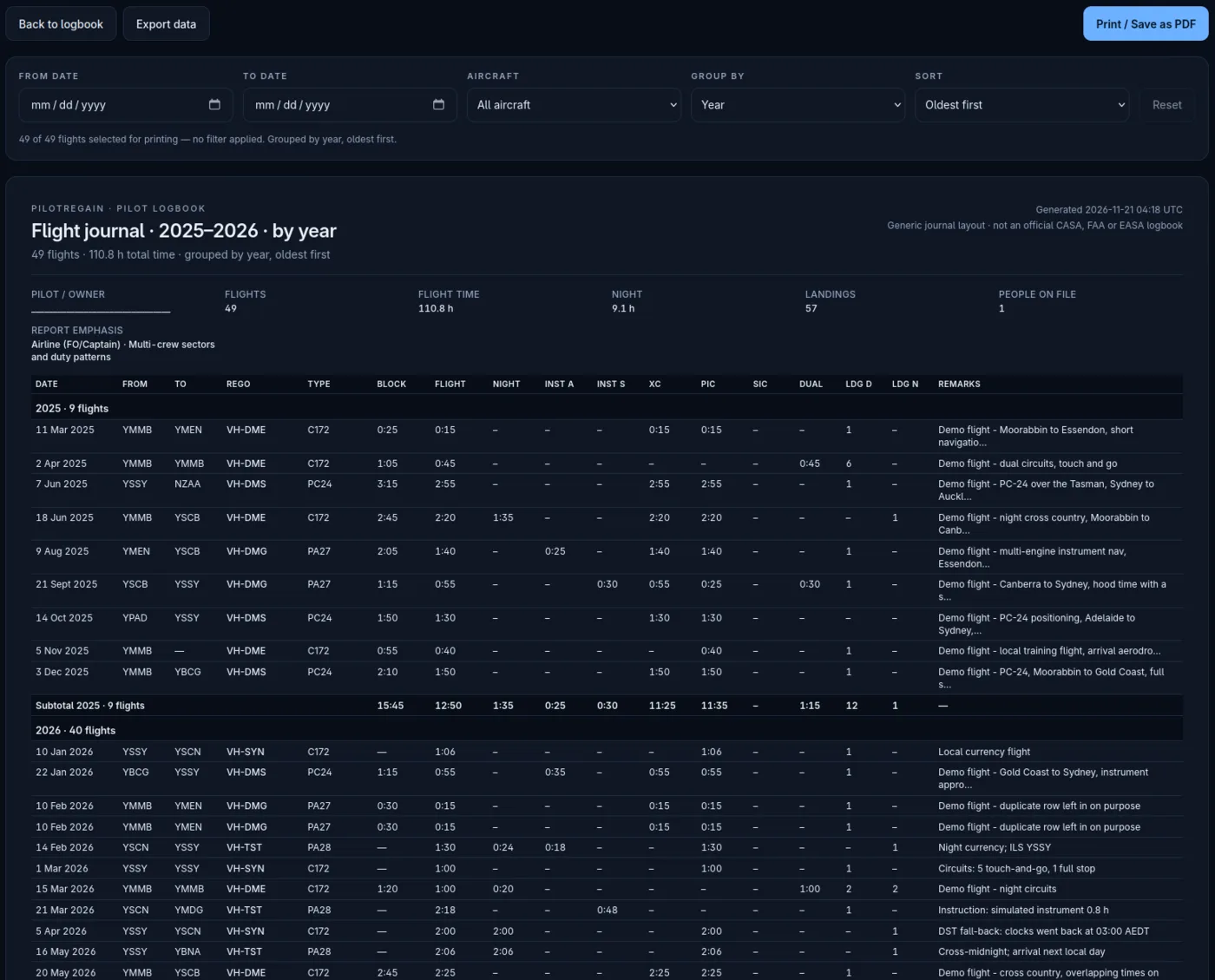
The whole logbook as JSON, spreadsheet-friendly CSV, print-ready PDF, or a portable SQL/SQLite dump.
Printable flight journal, flight reports, aircraft status and audit reports.
Generic layouts, not official CASA, FAA or EASA logbook pages. Nothing is sent to a regulator.
Preview or print CASA instructor record notices where the flight, person and signed-record data support it. A missing value stays marked missing.
Not sent to CASA by the app. The instructor remains responsible for the endorsement and notification deadlines.
Make a copy whenever you want and keep it wherever you like. The file is yours, not a subscription feature.
04 · Flight replay
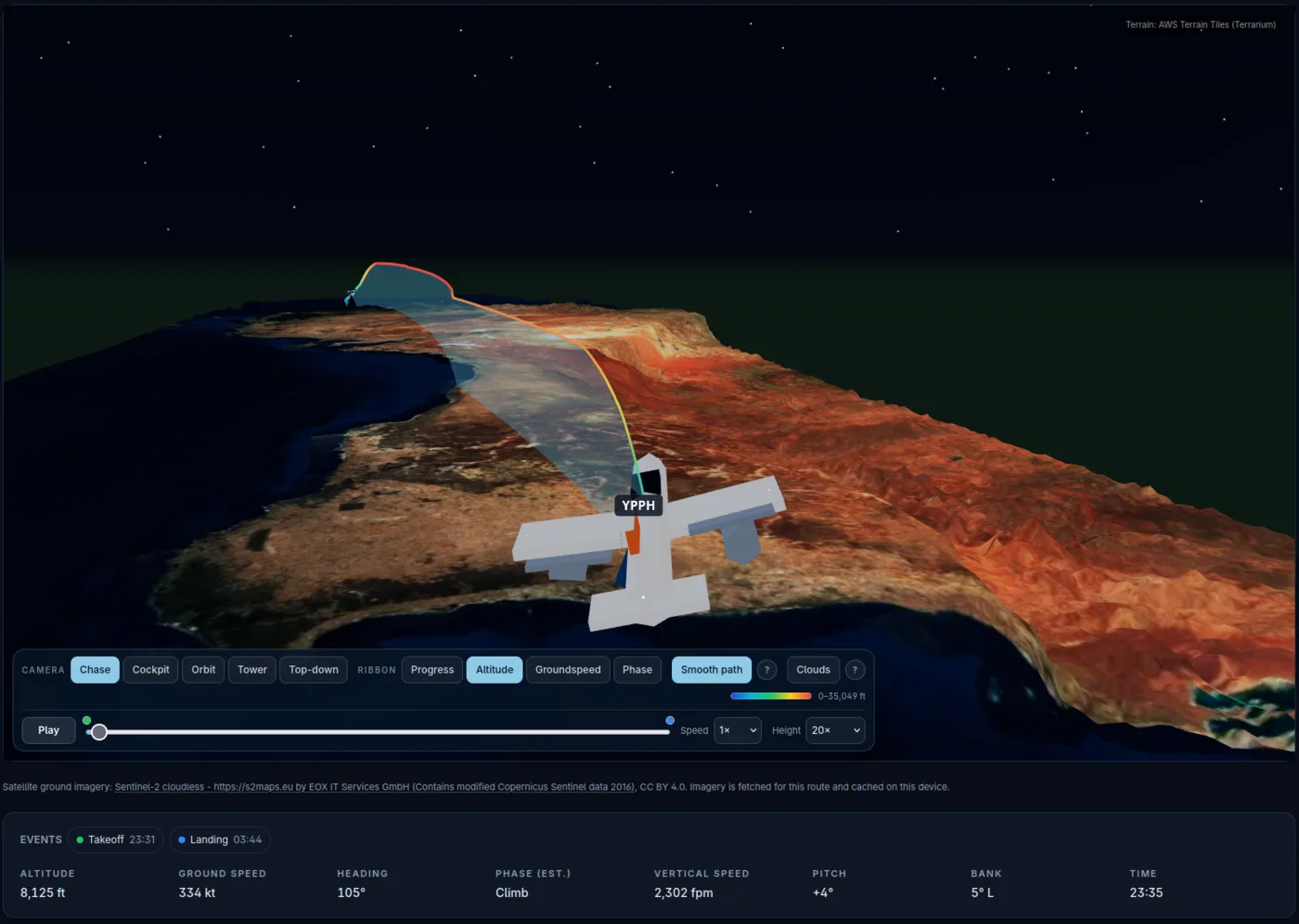
A low-poly diorama of the track, with the data doing the work in the background. It's the bit that makes a logbook feel less like a spreadsheet.
Scrub the timeline and watch the route unfold, with altitude shown as a colour-coded ribbon.
The tail number goes on the airframe. Both sides of the fuselage, and under the wing. VH-ABC stays VH-ABC.
Orbit, chase, or watch the whole thing. Export a still or a short share card, with privacy toggles for the tail number and exact times.
No recorded track? The replay is labelled Simulated. Terrain and buildings are approximate, and the 3D view is not for navigation.
05 · Flight sign-off
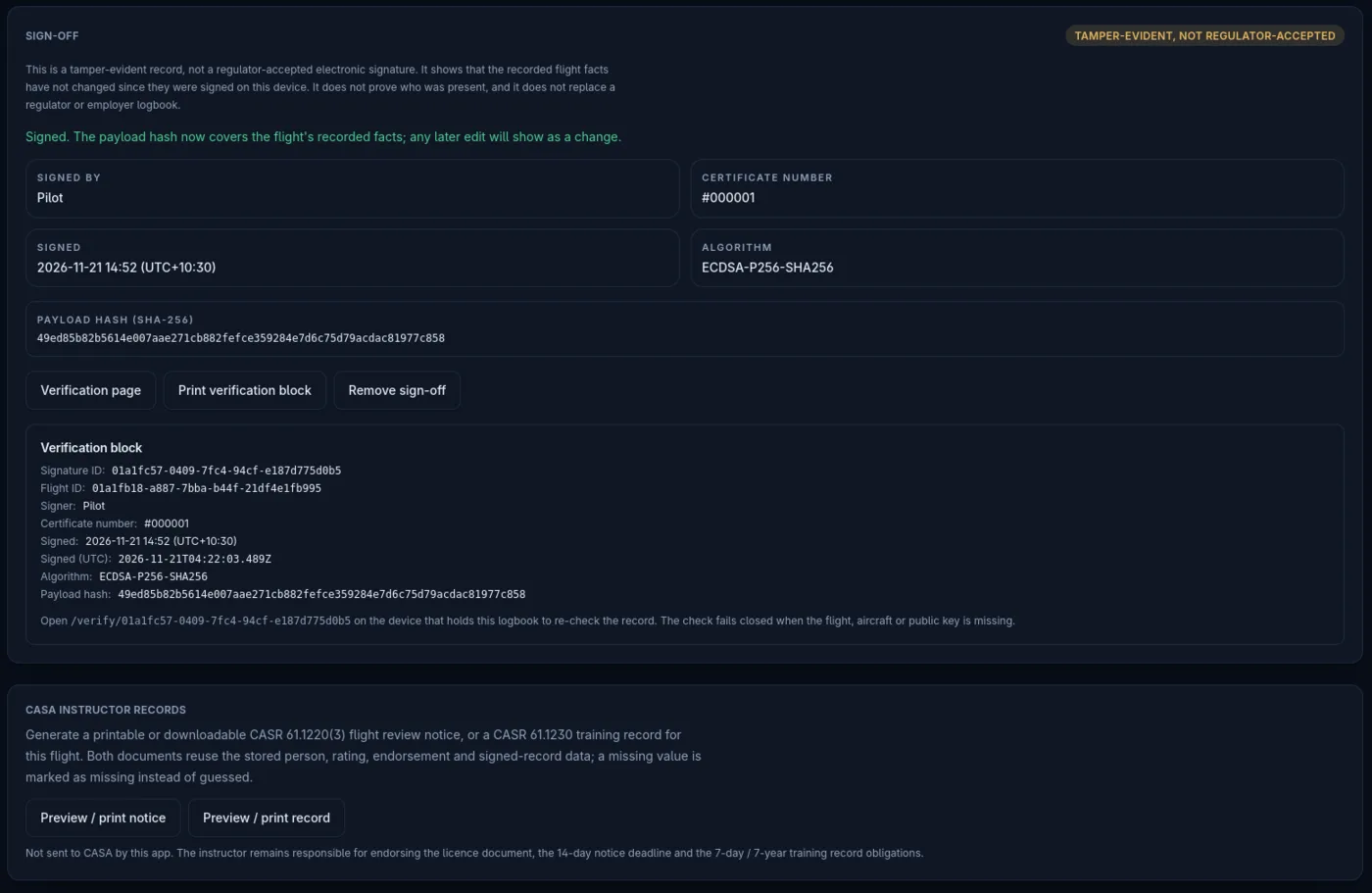
Sign-off records that a flight's facts were signed on the device, then lets anyone check whether they've changed since.
Takes a SHA-256 hash of the recorded flight facts and signs it with ECDSA-P256-SHA256, using a key held on the device.
That the recorded facts haven't changed since they were signed. A verification page and a printable verification block show the result.
It doesn't prove who was present. It is not a legal or electronic signature, and no regulator accepts or endorses it.
Tamper-evident, not regulator-accepted. A changed time, role or registration shows as CHANGED, so you remove the sign-off deliberately and sign again.
06 · Tools
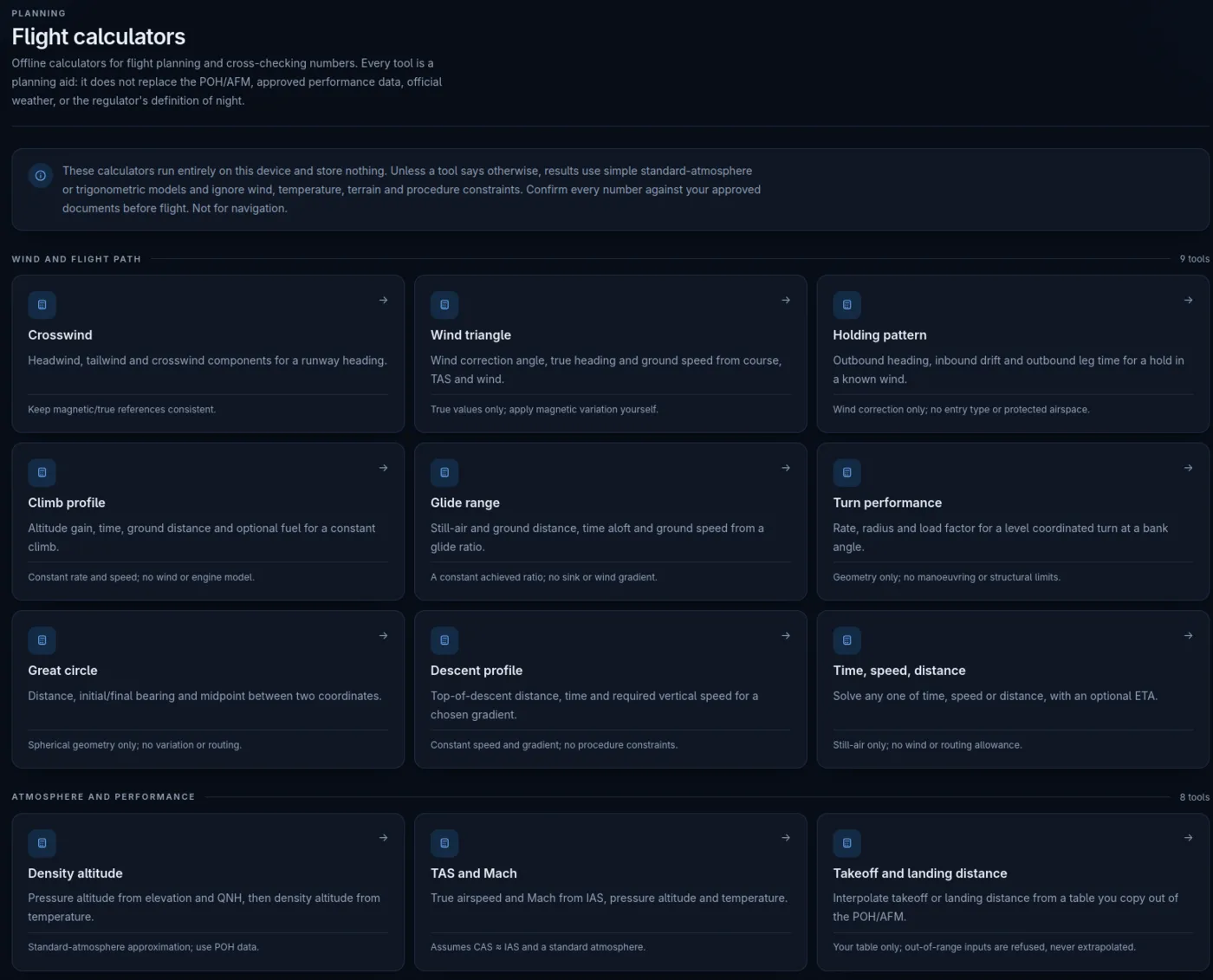
More than twenty offline calculators for the questions that come up before and after the flight. No sign-up, no network, nothing saved.
Work out what the trip actually cost, not just how much it burned.
Crosswind and wind triangle, for the day the forecast has opinions.
Descent, time/speed/distance, density altitude, TAS/Mach, weight and balance, cloud base and sun times.
Planning aids only. Use your current POH/AFM and approved data, and check each calculator's stated assumptions.
07 · Offline
The logbook, imports, exports, replay and tools live on your device. The cloud is an option, not a requirement.
No account needed. No network needed for the core. Your logbook opens and saves on the device.
Optional accounts add manual sync between devices and cloud attachments. Not real-time, and not required.
No ads, no analytics, no third-party scripts. The app isn't watching you, and neither is this site.
Cloud attachments and terrain you haven't cached need a connection. Everything local keeps working.
Start with the free local logbook. Move your history across when you're ready.